UX Audit Strategies for Modern Learning Platforms
Author
Vignesh
Published On

The learning technology market is growing rapidly, but many learning platforms still struggle with low course completion rates, poor learner engagement, declining retention, and inconsistent user satisfaction.
Most EdTech teams invest heavily in content, technology, and marketing. Yet learners continue dropping off before reaching meaningful outcomes.
The issue is often not the content.
It's the user experience.
A UX audit helps uncover hidden friction points across the learner journey, revealing why users abandon courses, struggle to navigate learning paths, or fail to achieve learning goals.
In this guide, we'll explore how modern learning platforms can use UX audits to improve learner experiences, increase engagement, and drive measurable business growth.
The Silent Churn Problem No EdTech Team Wants to Talk About
Open with a sharp, data-grounded scenario: a well-funded learning platform with strong content, a capable team, and solid marketing yet users drop off after Day 3. Course completion rates sit at 12%. Support tickets climb. The founding team runs A/B tests on the homepage CTA while the real damage happens deeper inside the product.
Key Points to Cover:
Industry benchmark: the average online course completion rate is under 15%
Most EdTech churn isn't a content problem it's a UX problem
Founders mistake low engagement for low motivation, when it's low usability
The cost of ignoring UX friction: not just churn, but brand trust erosion and lost LTV
Where Learning Platforms Bleed Users
Shift from problem framing to specific, recognizable pain patterns. Decision-makers should read this and see their own product reflected back at them.
Onboarding That Overwhelms Instead of Activates
New learners land in a feature-heavy dashboard with no clear starting point
Cognitive overload during sign-up: too many choices, no guided path
Zero personalization at entry, one-size-fits-all onboarding destroys early momentum
Broken Navigation Architecture in LMS Environments
Course discovery buried under multiple menu layers
Inconsistent navigation patterns between course player, dashboard, and profile
Mobile navigation is often an afterthought critical in a mobile-first learner world.
The Course Player Experience Nobody Audits
Video controls that conflict with platform UI
No progress visibility, no resume functionality, no contextual checkpoints
Assessments disconnected from learning flow jarring context switches.
Feedback Deserts: No Signal, No Progress Clarity
Learners don't know where they stand in a curriculum
Completion indicators are vague or broken
Certificates and achievements have zero emotional payoff in the UI.
Accessibility Gaps That Silently Exclude Learners
Missing keyboard navigation, poor color contrast, no screen reader support
Inconsistent font sizing across device types
No captions or transcripts baked into the core experience.
UX Audit Strategies That Work for Learning Platforms: A Practitioner's Framework
Transition from diagnosis to method. Position UX audits as a structured, strategic discipline not a one-time review or a checklist exercise. This section builds trust and demonstrates authority.
A UX audit is a systematic, evidence-based evaluation of a product's usability, information architecture, interaction design, and user flows
What separates an EdTech UX audit from a generic one learner psychology, motivation patterns, cognitive load theory, and learning path architecture must all factor in
Common misconceptions UX audits are not usability tests, not design reviews, and not analytics summaries they integrate all three
The 4-Layer UX Audit Framework for Learning Platforms
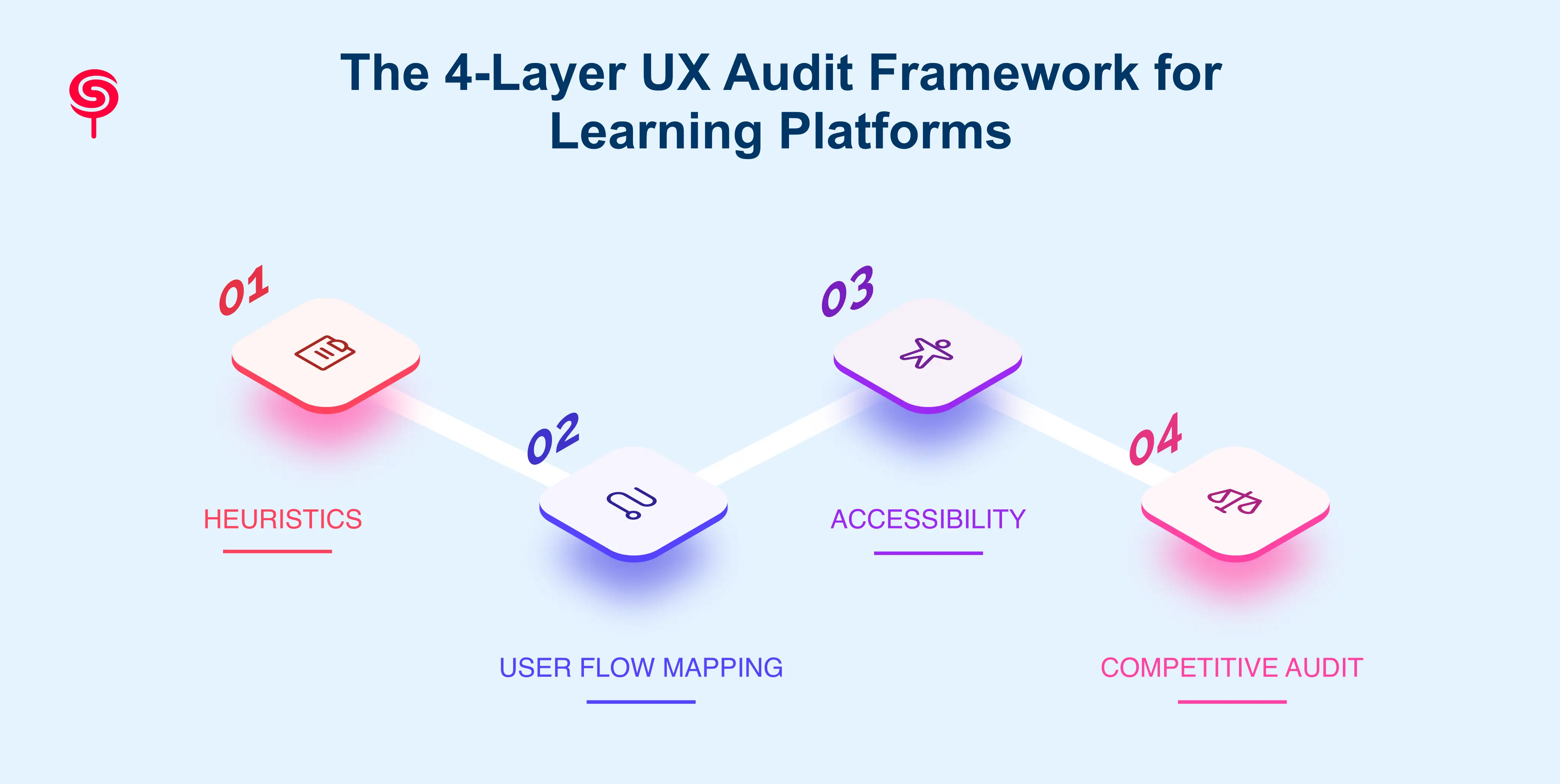
Layer 1: Heuristic Evaluation
Evaluate against Nielsen's 10 usability heuristics + EdTech-specific additions (e.g., scaffolded learning, progress transparency)
Who runs it: senior UX strategist with EdTech domain knowledge
Output: Severity-ranked friction inventory.
Layer 2: User Flow Mapping and Path Analysis
Map critical paths: onboarding → course discovery → enrollment → learning → completion → re-engagement
Identify drop-off points using behavioral data (Mixpanel, Amplitude, FullStory)
Document where intended flows break against actual user behavior.
Layer 3: Accessibility and Inclusive Design Audit
WCAG 2.1 AA compliance check across all core learner-facing interfaces
Mobile-first audit: responsive behavior, touch targets, load performance
Assistive technology compatibility testing.
Layer 4: Competitive and Benchmark Audit
Evaluate platform against 3–5 direct EdTech competitors across key UX dimensions
Identify where your platform lags, matches, or leads
Surface UX differentiation opportunities competitors haven't captured.
How to Prioritize Findings: The Impact-Effort Matrix
Plot every audit finding across two axes: user impact and implementation effort
Quick Wins (high impact, low effort): fix immediately these pay for the audit
Strategic Fixes (high impact, high effort): roadmap these with proper resourcing
Monitor (low impact, low effort): document, defer
Deprioritize (low impact, high effort): park indefinitely
How to communicate this to product and engineering stakeholders without starting wars.
Why Most Learning Platforms Never Run a UX Audit And Why That's a Strategic Mistake
Address the internal objections directly. This section speaks to founders and product leaders who know something is wrong but haven't prioritized the audit. Acknowledge their reality, then reframe it.
Common Objections & Strategic Rebuttals:
"We don't have time right now." The average UX audit takes 2–4 weeks. The average learner churn cycle costs multiples of that in lost ARR every quarter.
"Our team can do it internally." Internal teams are too close to the product. They've normalized the friction. An external perspective surfaces what proximity blinds you to.
"We'll fix UX after we hit our next funding milestone." Poor UX is a growth ceiling. Investors scrutinize activation and retention metrics. UX is the mechanism, not the decoration.
"We ran a usability test six months ago." A one-time test is not an audit. Platforms evolve. New features create new friction. Audits need to be periodic.
UX Audit as a Growth Strategy, Not a Design Exercise
Elevate the audit from tactical fix to strategic lever. Connect UX audit outputs directly to business decisions product roadmap, investor narrative, customer success strategy, and pricing architecture.
From Audit to Action: What a High-Quality UX Audit Delivers
A single source of truth for your UX debt inventory
Clarity on which product decisions are causing the most damage to learner retention
A prioritized fix roadmap that aligns design, product, and engineering
Executive-ready documentation that makes the case for UX investment.
When Is the Right Time to Commission an Educational Platform UX Audit?
Pre-launch (validation): before you go to market with a new platform or major feature
Post-launch plateau: when growth has stalled despite marketing investment
Pre-funding round: to clean up product before investor scrutiny
Post-acquisition: when inheriting a product with unknown UX debt
Annual strategic review: as a standing hygiene practice for scaling platforms.
What to Look for in a UX Audit Partner for EdTech
Deep experience in learning experience design (LXD) and EdTech product patterns
Ability to connect UX findings to business metrics not just interface recommendations
Deliverables that your team can actually act on (not 80-page reports that live in Notion)
Track record of working with LMS platforms, learning apps, and educational SaaS products
A process that includes stakeholder alignment, not just deliverable handoff.
What Changes After a UX Audit: Real Business Outcomes for EdTech Products
Close with the transformation narrative. Speak to outcomes in the language of business growth, not design quality. Make the ROI tangible and the risk of inaction visible.
Metrics That Move After a Strategic UX Audit
Activation Rate: Improved onboarding UX typically drives a 20–40% lift in Day-7 activation
Course Completion Rate: Streamlined learner flows and progress visibility increase completion by 2–4x in optimized platforms
Monthly Active Learners: Removing navigation friction and improving re-engagement touchpoints sustainably grows MAL
Support Ticket Volume: Intuitive UX directly reduces "how do I…" tickets cutting support costs measurably
Net Promoter Score (NPS): Learners who succeed recommend. UX is the bridge between content quality and word-of-mouth growth
Customer Lifetime Value (LTV): Retention-driving UX improvements compound every percentage point of retained learners multiplies downstream revenue.
The Compounding ROI of Learning Platform Optimization
UX improvements don't pay off once they compound across every user who ever touches the product
A single audit that improves onboarding by 25% pays dividends for the lifetime of the platform
Frame it like this: UX debt is a tax on every new user you acquire. Paying it down raises your effective acquisition ROI.
Conclusion
Modern learning platforms compete not only on content quality but also on user experience.
When learners struggle to navigate, stay engaged, or complete courses, business performance suffers.
A strategic UX audit uncovers hidden friction, aligns learner needs with business goals, and provides a clear roadmap for growth.
The most successful EdTech products continuously optimize their learning experiences not just their feature sets.
Frequently Asked Questions
1. What is a UX audit for learning platforms?
A UX audit is a structured evaluation of a learning platform's user experience to identify usability issues, engagement barriers, and opportunities for improvement.
2. How does a UX audit help EdTech businesses grow?
By reducing user friction and improving learning outcomes, UX audits increase retention, renewals, referrals, and revenue growth.
3. When should an EdTech company commission a UX audit?
Post-launch drop-off in activation, plateau in completion rates, rising churn despite good content, preparation for a funding round, or after launching a major new feature set.
4.Can a UX audit improve course completion rates?
Yes. UX audits routinely surface friction in course players, progress indicators, and navigation that directly suppresses completion. Platforms that act on audit findings consistently see measurable improvement in completion and return learner rates.
5.What deliverables come out of a learning platform UX audit?
Typical deliverables include a prioritized friction inventory, annotated UX screenshots, a severity-ranked recommendation report, an impact-effort matrix, an accessibility findings log, and a UX roadmap aligned to product and engineering sprints.
Share this blog!
Latest Blogs
Explore our latest insights on design, AI, and digital innovation.