10 UX Problems We Commonly Find in Education Platforms
Author
Vignesh
Published On
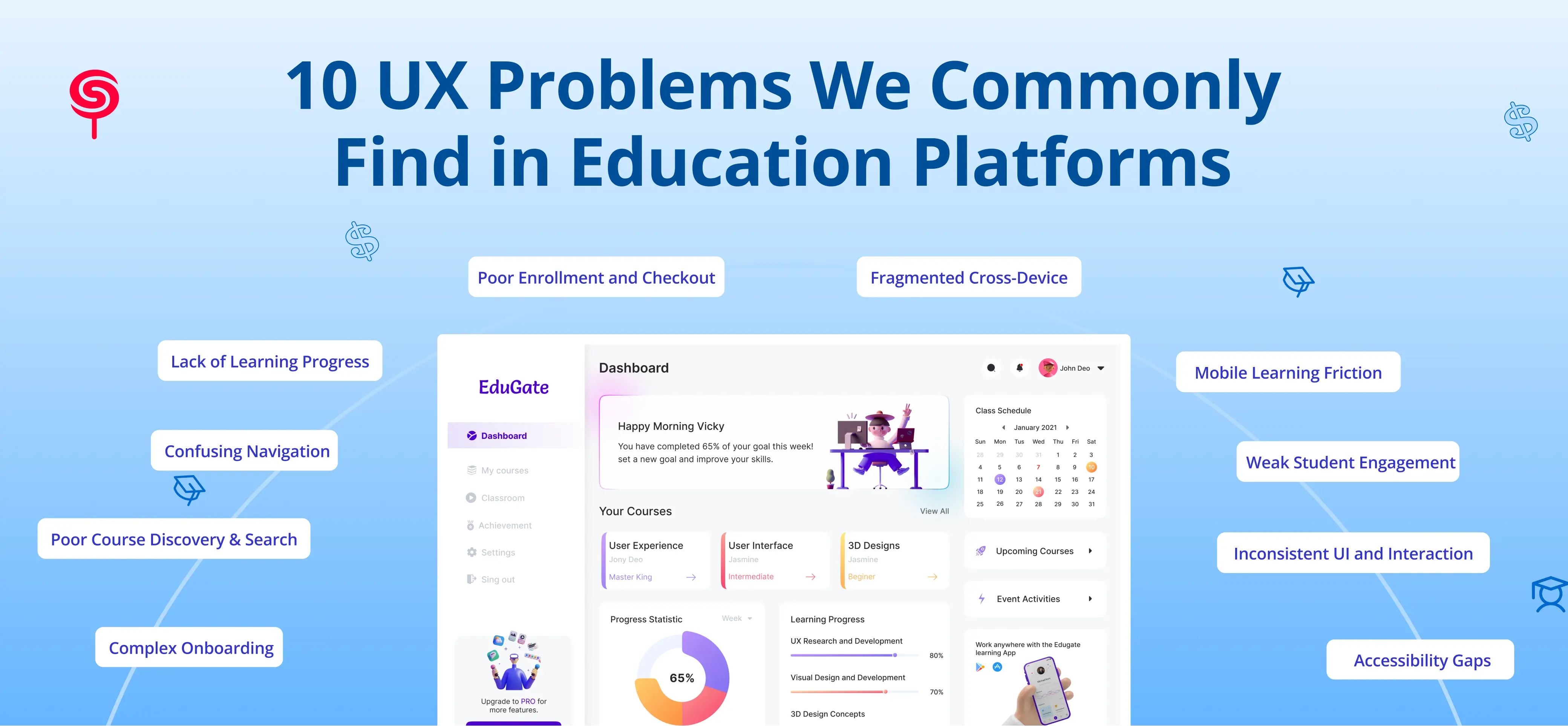
You built a learning platform with a clear mission: democratize education, upskill workforces, or scale knowledge at speed. You invested in curriculum, content, and technology. Yet your activation rates are underwhelming. Learners drop out before completing their first module. Paid subscribers churn after 30 days. Your team patches features, runs A/B tests, and pushes new releases but the needle barely moves.
The problem is rarely your content.
In the majority of EdTech audits we conduct, the real barrier to growth is invisible friction baked into the user experience. Learners don't file support tickets when an interface confuses them. They simply leave quietly, permanently, and often without explanation.
This blog examines the 10 most common UX problems we discover in education platforms, the business damage each one causes, and how a structured UX audit surfaces these hidden growth barriers before they compound into a crisis.
If you're a founder, product manager, or technology leader responsible for a learning platform, this is your diagnostic.
Why UX Matters More Than Ever in Education Platforms
The EdTech market is projected to surpass $400 billion globally by 2026. Competition is fierce, attention spans are short, and learner expectations shaped by Netflix, Duolingo, and Notion have never been higher.
Yet most education platforms were designed to deliver content, not to optimize the experience of learning it. That distinction is where growth is won or lost.
Research consistently shows that a single point of friction in the onboarding flow can reduce activation by up to 40%. In a subscription-based EdTech product, a 5% improvement in retention directly compounds into significant ARR gains. UX is not a design problem it is a revenue problem.
Here are the ten issues we find most often.
1. Complex Onboarding Experiences
The Real-World Problem
A new user signs up for your platform after a paid ad click or organic discovery. They land on a dashboard cluttered with navigation options, empty state messages, configuration prompts, and a generic "Welcome" email. Within three minutes, 60–70% of them abandon never returning.
The Struggle
Most EdTech platforms treat onboarding as a feature checklist rather than a guided journey. The platform asks the user to do too many things too quickly: verify their email, complete a profile, browse a course catalogue, choose a learning path, and install an app all before they've experienced a single moment of value.
The Solution
A UX audit maps the entire onboarding journey end-to-end, identifying the exact drop-off points. The fix typically involves introducing a value-first onboarding sequence: reduce required steps to three or fewer, surface a micro-win (completing a short lesson, earning a badge, watching a preview) within the first session, and defer secondary setup tasks to later in the experience.
Business Outcome
Platforms that redesign onboarding around activation not setup commonly see a 20–40% improvement in Day-1 retention and a measurable lift in trial-to-paid conversion rates.
2. Poor Course Discovery and Search Experience
The Real-World Problem
A learner knows they want to improve their data skills. They type "SQL for beginners" into your platform's search bar. The results return 47 items in no logical order some are modules, some are full courses, some are blog posts. There are no filters. No ratings. No estimated duration. They scroll for 30 seconds, find nothing that feels right, and leave.
The Struggle
Course discovery is the gateway to learning engagement. When it fails, learners never reach the content you spent months producing. Platforms with large content libraries are disproportionately vulnerable the more content you have, the more critical search and discovery UX becomes.
The Solution
A UX audit identifies the specific failure modes in discovery zero-results queries, irrelevant results, filter abandonment using both heuristic analysis and, where available, behavioral analytics. Recommendations typically include redesigning search results pages with structured metadata, implementing faceted filtering, and introducing a personalized "Recommended for You" learning feed.
Business Outcome
Improved course discovery directly increases course enrollment rates and time-on-platform, both of which are leading indicators of subscription renewal.
3. Confusing Navigation and Information Architecture
The Real-World Problem
A working professional logs into your LMS on a Tuesday evening. They want to resume a partially completed course. It takes them 45 seconds and three clicks to find it. By the time they locate their content, they're frustrated and the cognitive load of navigating the interface has already consumed the mental energy they needed for learning.
The Struggle
Navigation confusion is one of the most pervasive UX problems in education platforms, particularly those that have grown through feature accretion. Every product release adds a new section. Every stakeholder request adds a new menu item. Over time, the information architecture reflects the internal organization of the company, not the mental model of the learner.
The Solution
A UX audit conducts card sorting analysis and task flow mapping to restructure navigation around how real users think and move through the product. Wayfinding improvements persistent progress indicators, contextual breadcrumbs, and smart "Continue Learning" shortcuts dramatically reduce navigational friction.
Business Outcome
Reduced navigation friction translates to longer session durations and higher course completion rates, both critical to NPS and renewal metrics.
4. Lack of Learning Progress Visibility
The Real-World Problem
A learner completes four modules of a ten-module course. They return a week later and cannot immediately tell where they left off, how much they've completed, or what the next step is. Without a clear sense of momentum, they disengage.
The Struggle
Progress visibility is one of the most psychologically powerful drivers of continued learning behavior. When learners cannot see how far they've come or how close they are to completion, the motivational mechanism that sustains effort the sense of forward momentum is absent.
The Solution
A UX audit evaluates progress visibility across every touchpoint: course pages, dashboards, email sequences, and mobile views. Recommendations typically include redesigning dashboards to lead with personalized progress data, introducing milestone celebrations, and implementing streak mechanics calibrated to the platform's learning cadence.
Business Outcome
Platforms with strong progress visibility mechanics consistently outperform on course completion rates which, in turn, drive certificate issuance, social sharing, and word-of-mouth acquisition.
5. Mobile Learning Friction
The Real-World Problem
More than 60% of your learners access your platform via mobile. Yet your platform was designed desktop-first. On a smartphone, the video player is misaligned. Quizzes require pinch-to-zoom. The navigation menu is a hamburger icon that opens a 12-item list. Uploading an assignment is a five-step process that times out on slower connections.
The Struggle
Mobile is no longer the secondary access channel for EdTech it is frequently the primary one, particularly for learners in emerging markets, working adults in micro-learning contexts, and younger demographics using smartphones as their primary computing devices.
The Solution
A UX audit performs a dedicated mobile UX assessment testing the platform across device types, screen sizes, and connection speeds. Critical mobile-specific fixes include redesigning interactive elements for touch (minimum 44px tap targets), implementing offline access for downloaded content, and streamlining key flows (continue learning, submit assignment, view results) to function in two taps or fewer.
Business Outcome
Closing the mobile experience gap typically increases daily active users among mobile-first learner segments and reduces mobile bounce rates, expanding the total addressable reach of the platform.
6. Inconsistent UI and Interaction Patterns
The Real-World Problem
Your primary call-to-action button is blue on the dashboard, green inside the course player, and outlined-only on the assessment page. Clicking "Save" on a quiz drafts the response; clicking "Save" on a profile form submits it. Each new feature your team shipped was designed independently, and it shows.
The Struggle
Inconsistent UI is a silent trust-killer. Every time an interaction pattern behaves differently than expected, learners burn cognitive load recalibrating their understanding of how the platform works. Over time, this erodes confidence in the product and by extension, confidence in the institution offering the learning.
The Solution
A UX audit produces a detailed UI consistency audit cataloguing every instance of visual and behavioral inconsistency across the platform. The deliverable is a prioritized remediation plan and, in many cases, the foundation for a lightweight design system that prevents recurrence.
Business Outcome
UI consistency improvements reduce support ticket volume (fewer confused-user contacts), increase perceived quality, and meaningfully improve user satisfaction scores.
7. Weak Student Engagement Mechanisms
The Real-World Problem
Your learners complete their first module with genuine enthusiasm. By module three, completion rates drop by 45%. By module six, 70% of enrolled learners have gone silent. The content hasn't changed. The learner's intention hasn't changed. But the platform has given them no reason to return.
The Struggle
Passive content consumption is the default experience in most LMS platforms. Learners watch a video, read a page, take a quiz. There is no social layer, no peer accountability, no coach check-in, and no intrinsic motivation mechanism beyond the distant prospect of a certificate.
The Solution
A UX audit evaluates the engagement architecture of the platform against established behavioral frameworks including self-determination theory, habit loop design, and social learning principles. Recommendations typically include implementing discussion layers within course modules, designing peer cohort experiences, introducing spaced repetition reminders, and building a notification strategy aligned to the learner's stated goals.
Business Outcome
Engagement architecture improvements directly impact completion rates and completed learners are your most powerful acquisition channel, as they become advocates, referrers, and repeat customers.
8. Accessibility and Inclusivity Gaps
The Real-World Problem
A learner with low vision attempts to use your platform with a screen reader. The course player controls are unlabeled. The transcript is hidden behind a secondary menu. The color contrast on your quiz interface fails WCAG 2.1 AA standards. This learner is excluded not by intent, but by omission.
The Struggle
Accessibility gaps are endemic in EdTech platforms. They are rarely discovered until a complaint, a compliance audit, or a public accessibility claim surfaces them. By that point, the remediation cost both financial and reputational is substantial.
The Solution
A UX audit includes a structured accessibility assessment against WCAG 2.1 standards, covering color contrast, keyboard navigation, ARIA labeling, screen reader compatibility, and caption availability for video content. The output is an accessibility remediation roadmap, prioritized by severity and implementation effort.
Business Outcome
Beyond legal risk mitigation, accessibility improvements expand the addressable market of the platform, increase satisfaction among users with diverse needs, and signal institutional credibility to enterprise clients and institutional buyers for whom WCAG 2.1 compliance is a procurement requirement.
9. Poor Enrollment and Checkout Experiences
The Real-World Problem
A prospective learner browses your course catalogue, selects a program, and clicks "Enroll." They are taken to a checkout page that asks for their billing address, VAT number, and company name before showing them the price. The page lacks trust signals. The payment form fails on mobile. They abandon and probably don't come back.
The Struggle
Checkout is where intent converts to revenue. Every added step, every unexpected form field, and every moment of uncertainty ("Is this secure? Did my payment go through?") is an opportunity for the learner to exit. EdTech platforms routinely lose 20–40% of motivated buyers at checkout due to preventable UX failures.
The Solution
A UX audit benchmarks the enrollment and checkout flow against conversion-optimized best practices: single-page checkout, trust badges, clear pricing, progress indicators, and mobile-optimized payment inputs. Recommendations eliminate unnecessary fields, introduce social proof at the point of commitment, and ensure the post-enrollment experience delivers immediate confirmation and activation.
Business Outcome
Checkout UX improvements are among the highest-ROI interventions available to EdTech platforms. A 10% reduction in checkout abandonment on a platform with 1,000 monthly enrollment attempts can represent hundreds of thousands of dollars in recovered revenue annually.
10. Fragmented Cross-Device Learning Experience
The Real-World Problem
A learner starts a course module on their laptop during their lunch break. They open the platform on their phone during their commute and find their progress is not synced. The bookmarks they set on desktop are not visible on mobile. The downloaded content they queued never downloaded. The experience feels broken because it is.
The Struggle
Modern learners do not learn on one device in one sitting. They learn in fragments five minutes on a phone, twenty minutes on a tablet, an hour on a desktop. Platforms that do not account for this fragmented, multi-device reality create jarring discontinuity that disrupts learning flow and erodes trust.
The Solution
A UX audit maps the cross-device learner journey and identifies specific continuity breaks. Design recommendations focus on building a consistent "Re-entry Experience" surfacing exactly where the learner left off, on any device, within one second of login along with cross-device content download management and unified notification settings.
Business Outcome
Cross-device experience improvements increase session frequency and total learning time, both of which directly correlate with renewal intent in subscription EdTech products.
Why Most Education Platforms Continue to Have These UX Problems
Given how clearly these problems affect retention, conversion, and revenue, why do they persist?
The answer is structural.
Most EdTech product teams measure inputs (features shipped, content published, engineering velocity) rather than experience outcomes (activation rate, session depth, completion rate, checkout conversion). UX problems are invisible in sprint planning because they don't generate support tickets they generate silent churn.
Additionally, internal teams develop product blindness. Founders and product managers who live inside the platform every day cannot see the experience through the eyes of a first-time user. The onboarding flow that confuses 60% of new users feels intuitive to the team that built it.
Finally, UX investment is commonly deprioritized in favor of feature development. The assumption wrong, but pervasive is that more features solve the engagement problem. In reality, more features without UX coherence compounds the problem.
How a UX Audit Identifies Hidden Growth Barriers
A professional UX audit for an education platform is a structured diagnostic process, not a collection of opinions. At its core, it answers one question: Where is your platform losing learners, and why?
A comprehensive EdTech UX audit typically includes:
Heuristic Evaluation: Expert review of the platform against established UX heuristic evaluation principles, documenting violations and their severity across every key flow.
User Flow Mapping: End-to-end documentation of the critical learner journeys: onboarding, course discovery, module completion, assessment, and checkout identifying friction points and exit risks at each step.
Behavioral Data Analysis: Where analytics exist (Mixpanel, Amplitude, GA4, Hotjar), quantitative analysis of drop-off points, rage clicks, scroll depth, and session recordings to correlate UX hypotheses with real user behavior.
Accessibility Audit: WCAG 2.1 compliance review covering color contrast, keyboard accessibility, ARIA labeling, and screen reader compatibility.
Mobile UX Assessment: Device-specific testing across iOS Human Interface Guidelines and Android Material Design, evaluating interaction patterns, load performance, and mobile-specific flow completeness.
Competitive Benchmarking: Comparison of the platform's UX patterns against category-leading peers to identify experience gaps that represent competitive disadvantages.
The output is a prioritized findings report with specific, actionable recommendations mapped to business impact so your product team knows exactly what to fix, in what order, and why it matters.
What Happens When Education Platforms Fix These UX Problems?
UX remediation in EdTech is not a cosmetic exercise. The business outcomes are measurable and, in many cases, dramatic.
Platforms that address onboarding friction typically see 20–40% improvements in activation rates. Those that redesign checkout flows commonly recover 10–25% of previously abandoned enrollments. Engagement architecture improvements consistently lift course completion rates by 15–30%, with downstream effects on NPS, referrals, and renewal.
More strategically, a platform with a coherent, friction-free learning experience earns a sustainable competitive advantage that content parity cannot replicate. Any competitor can commission equivalent curriculum. Not every competitor invests in the experience quality that makes learners stay, complete, and return.
Conclusion
The gap between a learning platform with strong content and a learning platform with strong growth almost always comes down to user experience. The UX problems documented in this article are not edge cases or rare failures they are the consistent patterns we find across EdTech platforms of every size and market position.
The founders and product leaders who take these problems seriously who invest in understanding the experience through the eyes of their learners are the ones building platforms with the retention, completion, and conversion metrics that sustain long-term growth.
A professional UX audit is the fastest, most cost-efficient path to identifying where your platform is losing learners and what it will take to win them back.
If any of the problems described in this article sound familiar, your platform almost certainly has more friction than you know. The audit will tell you exactly where it is and what it's costing you.
Frequently Asked Questions
1. How often should an education platform conduct a UX audit?
We recommend a comprehensive UX audit annually and a lighter-weight heuristic review after every major product release cycle. This cadence ensures that UX debt is caught before it compounds and that new features are assessed for their impact on the overall experience coherence.
2. What's the ROI of fixing UX problems in an EdTech product?
The ROI varies by platform, but the highest-impact improvements are typically in onboarding (activation rate) and checkout (enrollment conversion), both of which have direct, measurable effects on revenue. Platforms that invest systematically in UX commonly see compounding gains across activation, retention, completion, and referral the four metrics that drive EdTech growth.
3. How do I know if my learning platform needs a UX audit?
If your platform experiences high onboarding drop-off, low course completion rates, mobile underperformance, checkout abandonment, or rising churn despite strong content quality, these are strong indicators that experience friction is limiting growth. A UX audit will confirm and quantify these issues.
4. What does a UX audit deliverable look like?
A professional UX audit deliverable for an education platform typically includes: an executive summary of key findings, a severity-ranked findings report with annotated screenshots, a set of actionable UX recommendations with design direction, an accessibility report, and a prioritization matrix mapping findings to business impact and implementation effort.
Share this blog!
Latest Blogs
Explore our latest insights on design, AI, and digital innovation.